this tutorial focuses on the vietnam server delay problem of sniper sniper 2. it provides professional and executable troubleshooting and optimization methods, which is suitable for players and network maintenance personnel to quickly locate and alleviate delays, and improve the game experience.
latency manifestations include high ping, packet loss, jitter, etc. common causes include international link congestion, route detours, isp restrictions, improper client settings, and local network interference. accurate judgment of symptoms is the key to follow-up investigation.
first confirm the quality of the local network: restart the router, use a wired connection instead of wi-fi, turn off downloading or streaming media usage, check the router load and firmware version, and eliminate the influence of home devices.
use tools such as ping, tracert/traceroute, and pathping to test the delay and packet loss to the vietnam server, record the average delay and packet loss point of each hop, and find the location of the node with sudden delay or packet loss.
when traceroute shows a certain hop delay or packet loss, you can contact your isp for routing analysis; if the intermediate node is an international link, most problems require coordination and resolution by the isp or backbone network provider.
check the sniper 2 client version, game resolution, frame rate limit and network options, turn off background applications and automatic updates, enable game mode or qos optimization to reduce latency fluctuations.

update network card drivers, turn off energy-saving mode, adjust mtu and tcp parameters (operate with caution and back up), ensure that the cpu/gpu is not occupied by background processes, and improve overall network responsiveness.
the routes from different isps to vietnam vary greatly. if necessary, test a backup isp or commercial vpn (only for route optimization and testing), compare stability and latency, and choose the best egress path.
avoid frequently switching vpns or using unstable free proxies; do not easily change the core network parameters of the system without backing up; when encountering cross-border link problems, you should prioritize coordination with the isp rather than just making end-side adjustments.
establish a simple delay monitoring script or scheduled task to record ping and traceroute data to facilitate the discovery of regular congestion and time period problems, and provide them to isps or game operators for further analysis.
troubleshooting sniper 2 vietnam server latency should be carried out in the order of local inspection → route tracing → client and system optimization → isp/vpn testing. logging data, working with isps, and maintaining monitoring is a long-term strategy for stabilizing latency.
- Latest articles
- Optimized Storage Costs For Hong Kong Hosted Servers, Hard Disk Servers, Layered Storage, And Cold Archiving Solutions
- Are Tencent Cloud Korean Servers Native? Recommendations For Local Service Provider Integration And Latency Optimization
- The Enterprise Migration Guide Teaches You How To Apply For US Dual-line Server Hosting To Ensure Compliance
- How Does AWS Cloud Server In Japan Charge? Bill Analysis And Fee Alert Settings
- Beginner's Guide: Which Hong Kong Site Cluster Servers Are Best To Use? Choose Based On Your Business Scale
- A Detailed Explanation Of US High-defense Servers Involves Latency, Bandwidth, Cleaning Capability, And SLA Comparison
- A Summary Of Common Questions About Hong Kong VPS Access In The US And A Guide To Optimal Connection Configurations
- Korean CN2 Network Cloud Service Product Selection Guide Performance, Security, And Scalability Evaluation
- Developer Manual: Best Practices For Network And Security In Configuring Linode Japanese Native IP
- Where Can I Buy A Vietnam Cloud Server? Hands-on Tutorial From Registration To Activation
- Popular tags
-

Comprehensive Advice On Which Cloud Server In Vietnam Is Best For Start-ups And Medium And Large Companies?
comprehensive recommendations on which cloud server in vietnam is better: provides key points for selection for start-ups and medium and large companies, including network latency, scalability, security compliance, operation and maintenance support and cost assessment, to help formulate appropriate deployment strategies. -
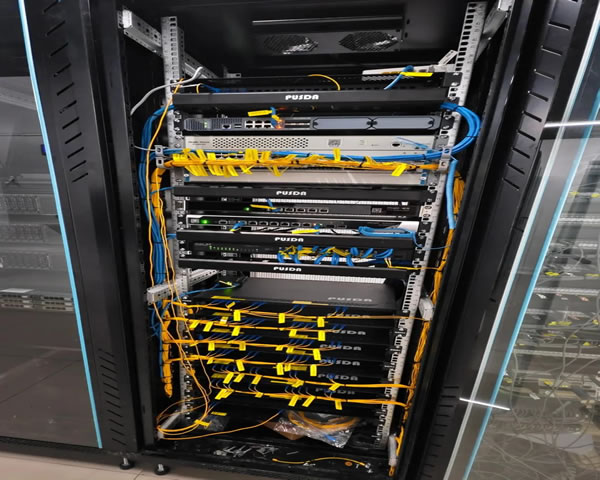
Precautions And Suggestions For Choosing A Vietnam Pptp Server
this article will introduce the precautions and suggestions for choosing a pptp server in vietnam to help users choose a suitable vpn service and improve network security. -
Cost Analysis: Is There A Comparison Of The Costs Of Renting And Purchasing Cloud Servers In Vietnam?
cloud server cost analysis for the vietnam market, comparing the main differences between renting and purchasing, cost components, influencing factors and how to construct a cost comparison statement, providing decision-making suggestions and seo optimization points.